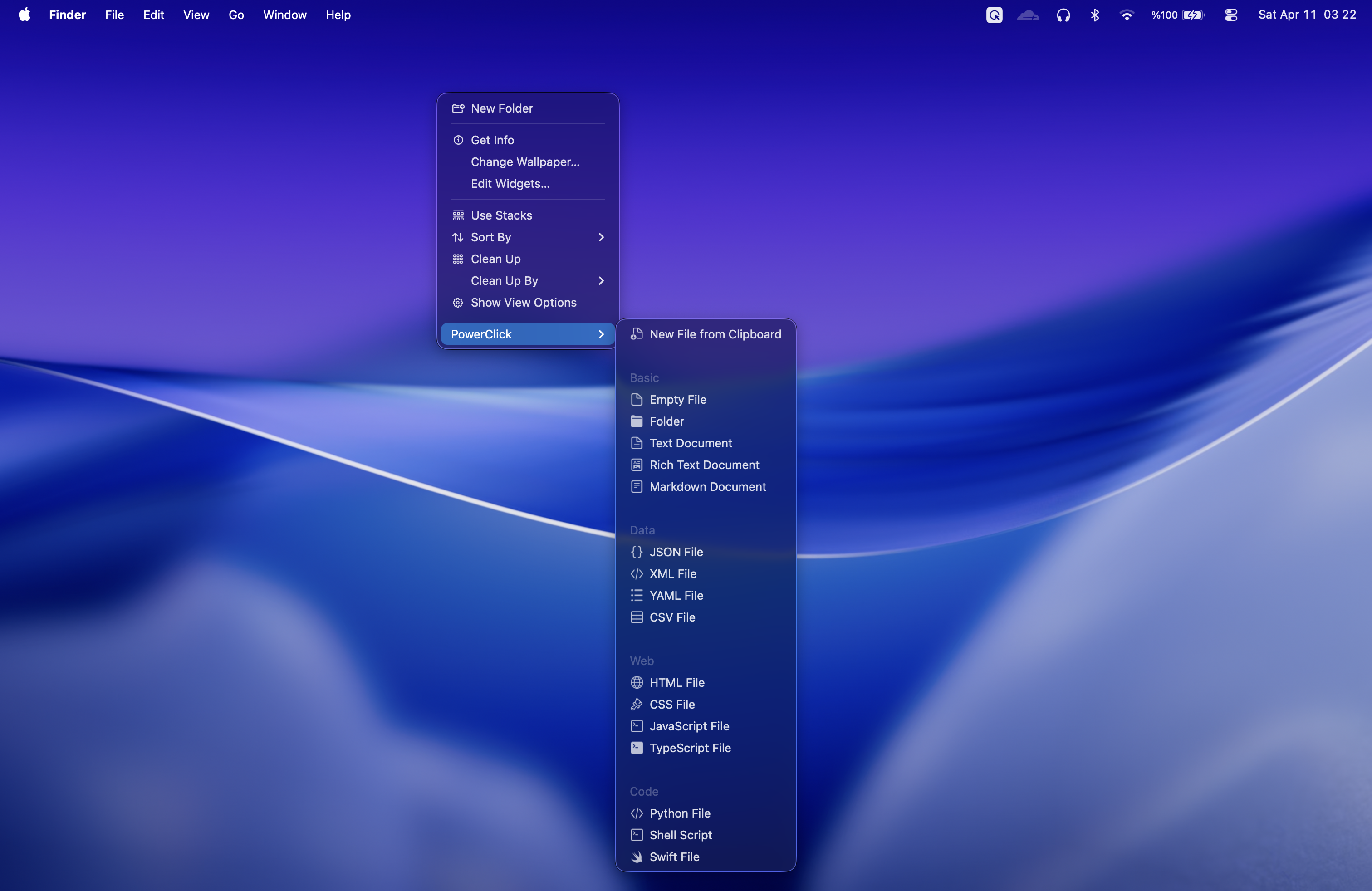
The missing New File command for macOS
Finder does not include a broad built-in New File menu like many users expect from other desktop systems. PowerClick fills that gap by adding file templates directly to the Finder right-click menu.
File templates included
- Basic files such as plain text and Markdown notes.
- Data files such as JSON, XML, CSV, and YAML.
- Web files such as HTML, CSS, and JavaScript.
- Code and scripts including shell scripts with execute permission.
- Clipboard-based files for saving copied text as a new file.
Smart naming avoids overwrites
When a file name already exists, PowerClick increments the name automatically instead of overwriting your work. That makes quick file creation safer when you are moving fast inside a project folder.
Works where Finder works
You can use PowerClick in Finder windows and on the Desktop. Right-click where you want the file, choose the template, and PowerClick creates it in that location.