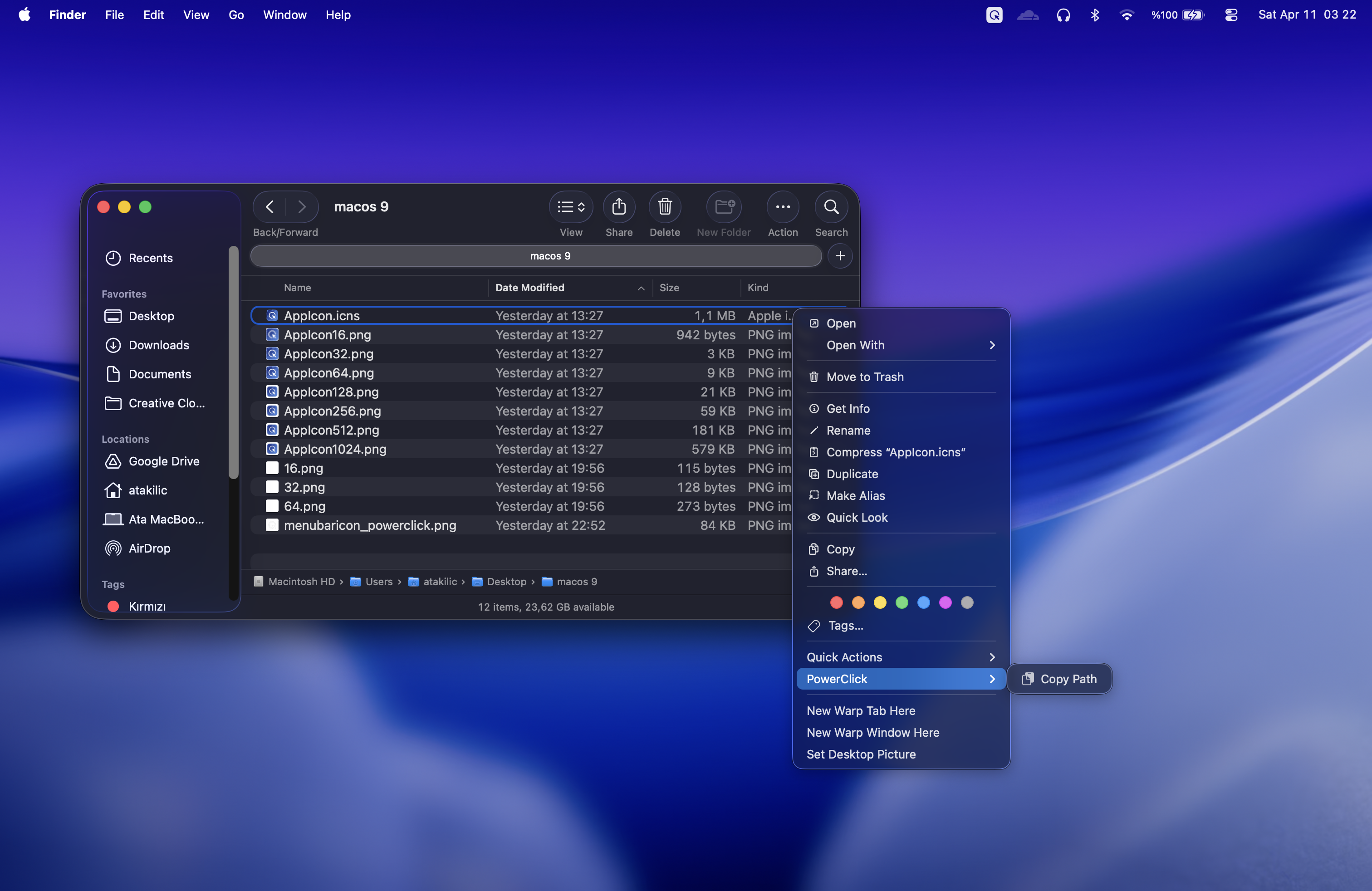
Context-aware actions for Finder
Finder workflows change depending on what you clicked. PowerClick keeps that behavior in mind: right-click a selected file to copy its path, or right-click empty space in a folder to create a new file from a template.
Useful Finder context menu commands
- Copy Path for a single selected file or multiple selected files.
- New File actions when you are inside a folder or on the Desktop.
- New File from Clipboard when copied text is available.
- Template categories for basic files, data formats, web files, and code files.
Why this is better than opening a separate app
The fastest file action is the one available where your cursor already is. PowerClick keeps creation and path-copying inside Finder, then uses the menubar app for settings, snippets, clipboard history, and extension status.
How to enable the extension
After installing PowerClick, enable the Finder extension in System Settings under Privacy & Security, Extensions, Finder Extensions. The PowerClick menubar app also shows whether the extension is active.